
Your semester,finally in one place.
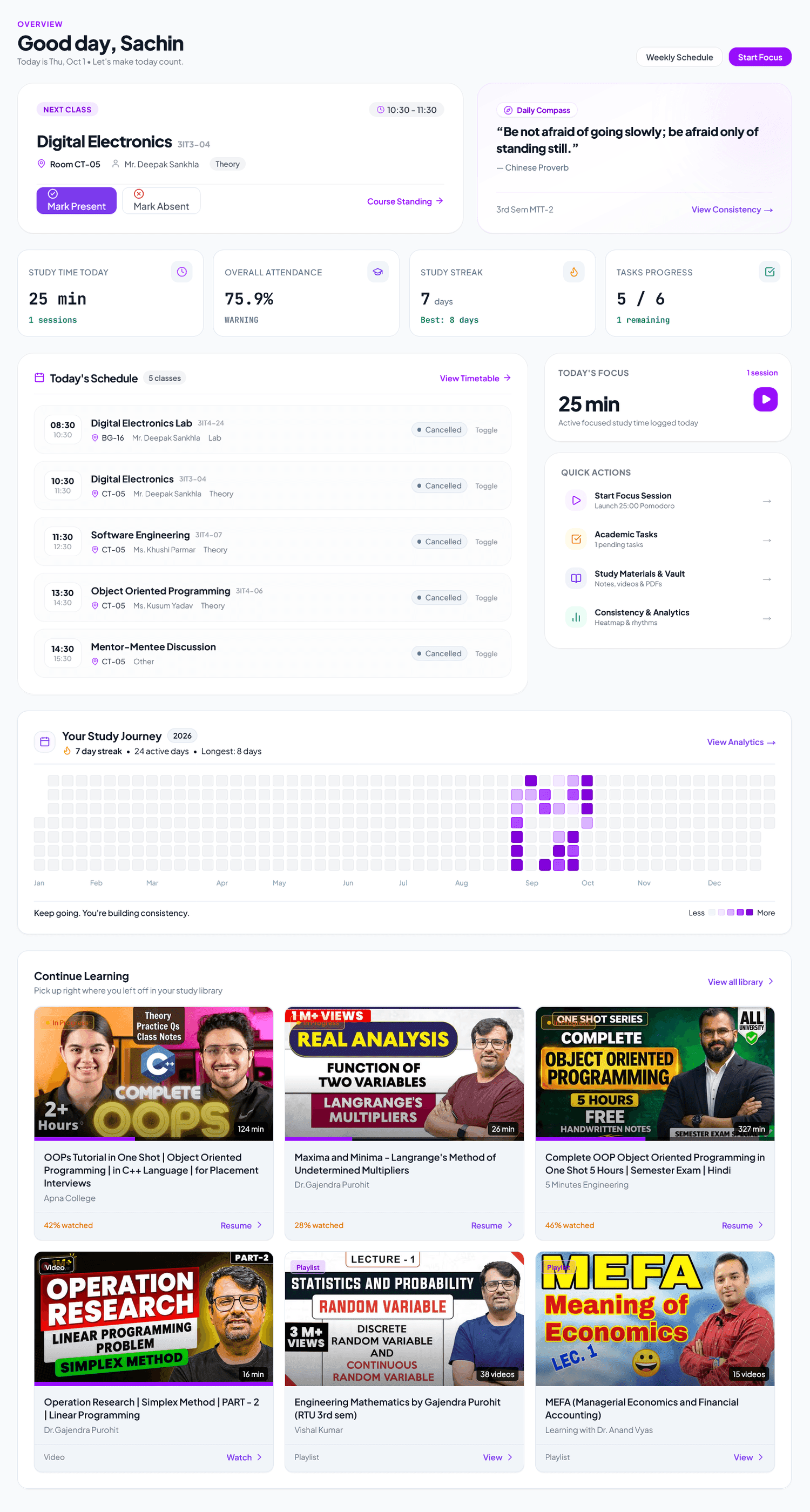
Classes, attendance, lectures, tasks, notes, documents, and focus — all together in one privacy-respecting study workspace.
Tap to test live attendance, timetable & focus tools

College is already complicated.
Your timetable is in one place. Notes are somewhere else. Attendance needs another app. StudySpace brings it together.
Keep your whole semester together.
When your timetable, attendance, lecture notes, and study timer connect to the same subjects, everything stays organized.
All features share the same subjects and sync seamlessly between your browser and Android app.
Guessing safe bunk margins by memory
Zooming into a blurred classroom snapshot
Losing timestamps when revising lectures
Saved in miscellaneous folders and chats
Focus time never linked to actual subjects
Deadlines scattered across paper slips
Keep your whole semester together.
When your timetable, attendance, lecture notes, and study timer connect to the same subjects, everything stays organized.
Engineered specifically for your semester.
Scroll down to review the core pillars that turn chaotic study routines into an organized academic system.
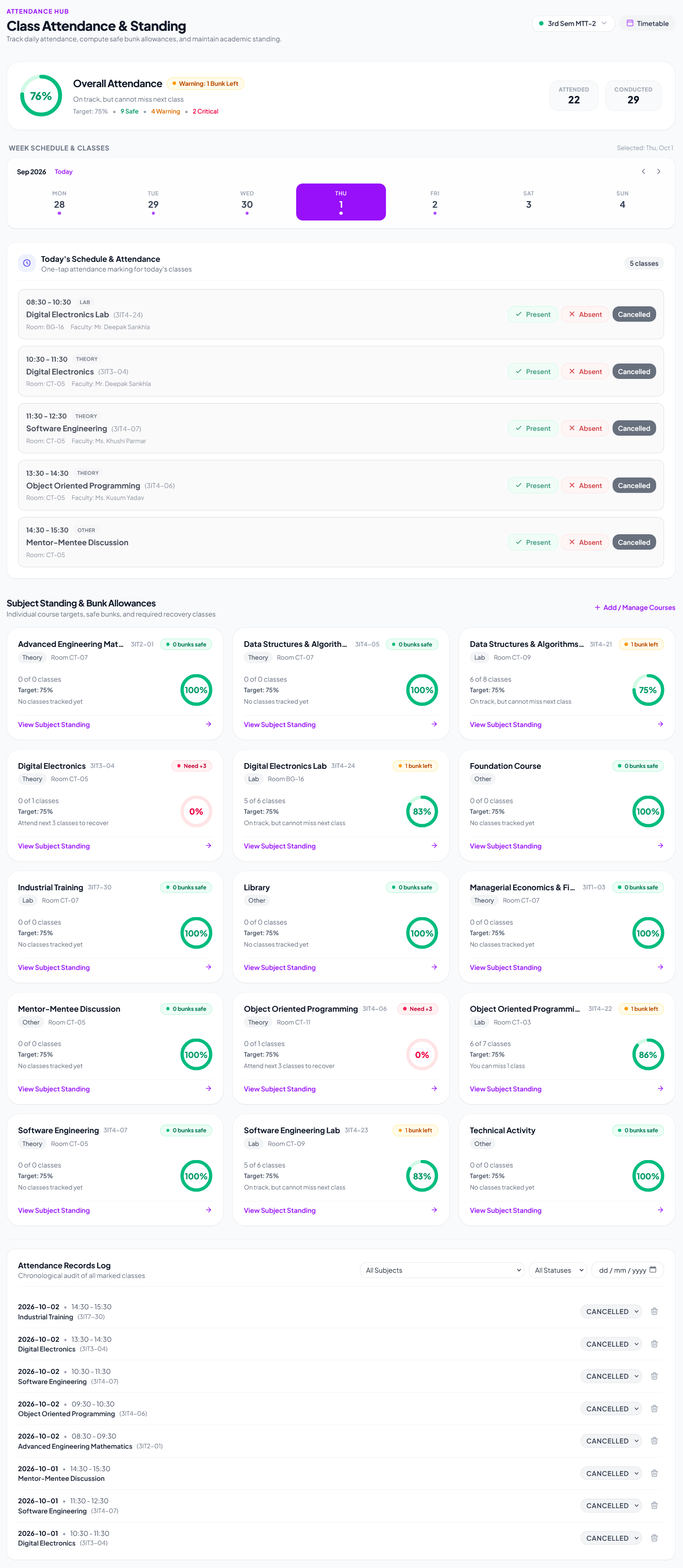
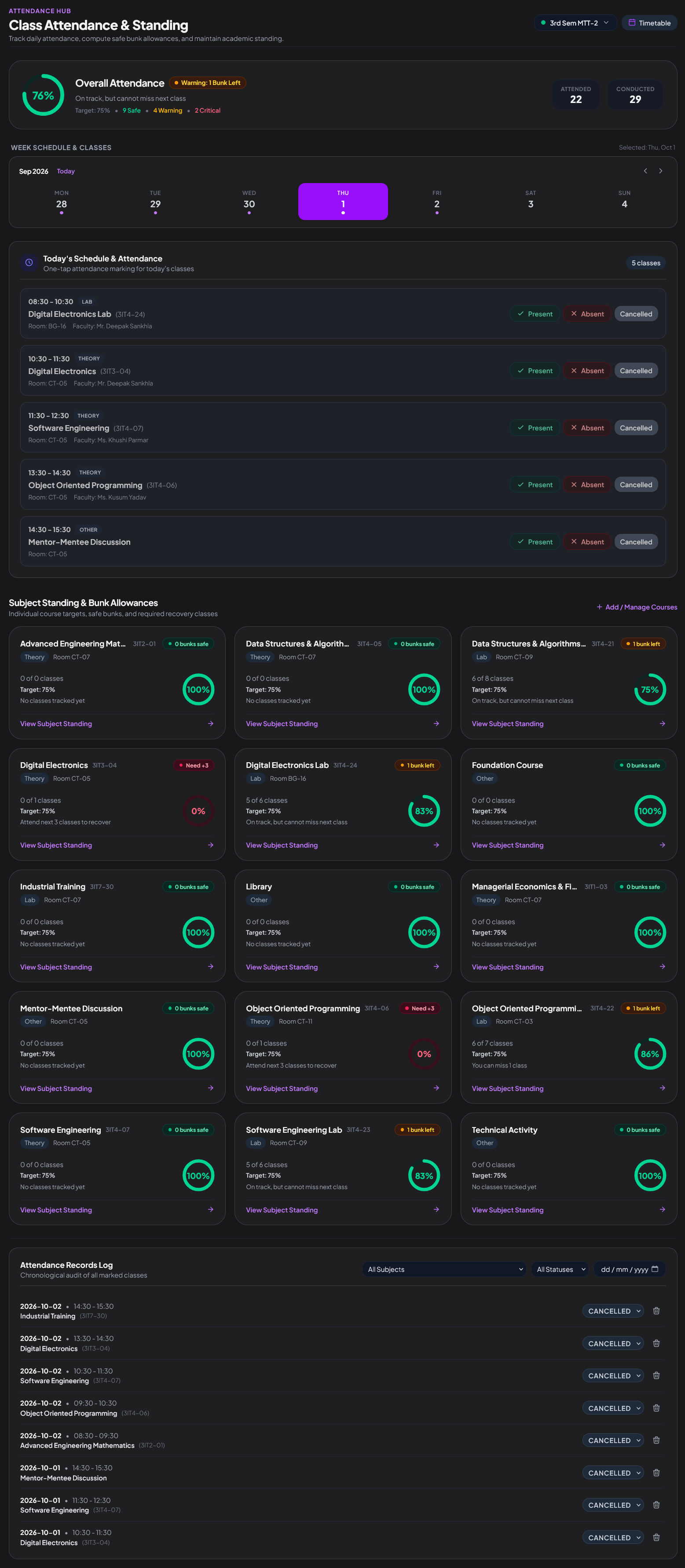
Mathematical precision for attendance and safe bunk margins.
Never wonder whether you can skip tomorrow morning’s lecture. StudySpace calculates your exact percentage and informs you how many classes you can afford to miss or must attend to stay above 75%.
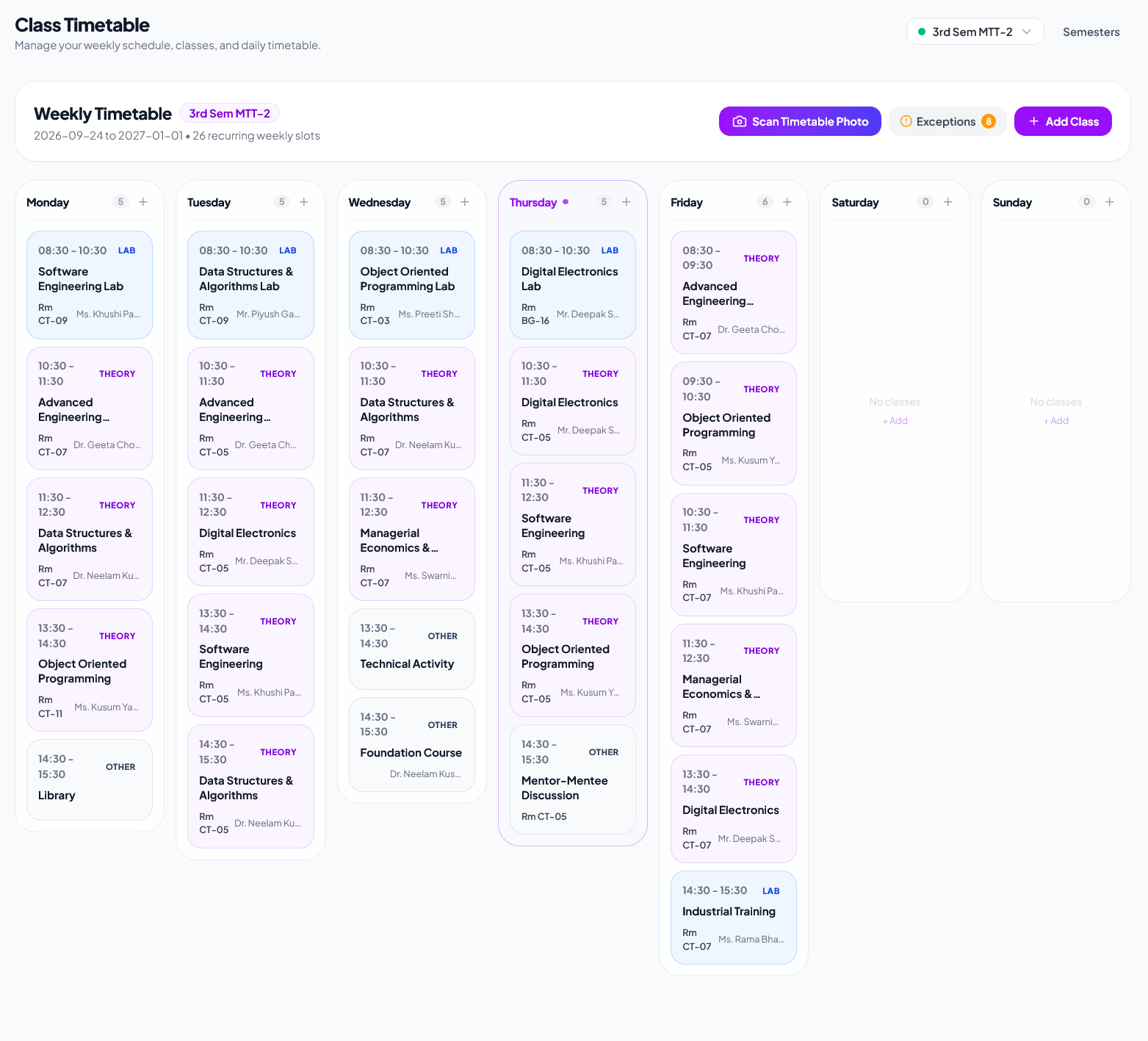
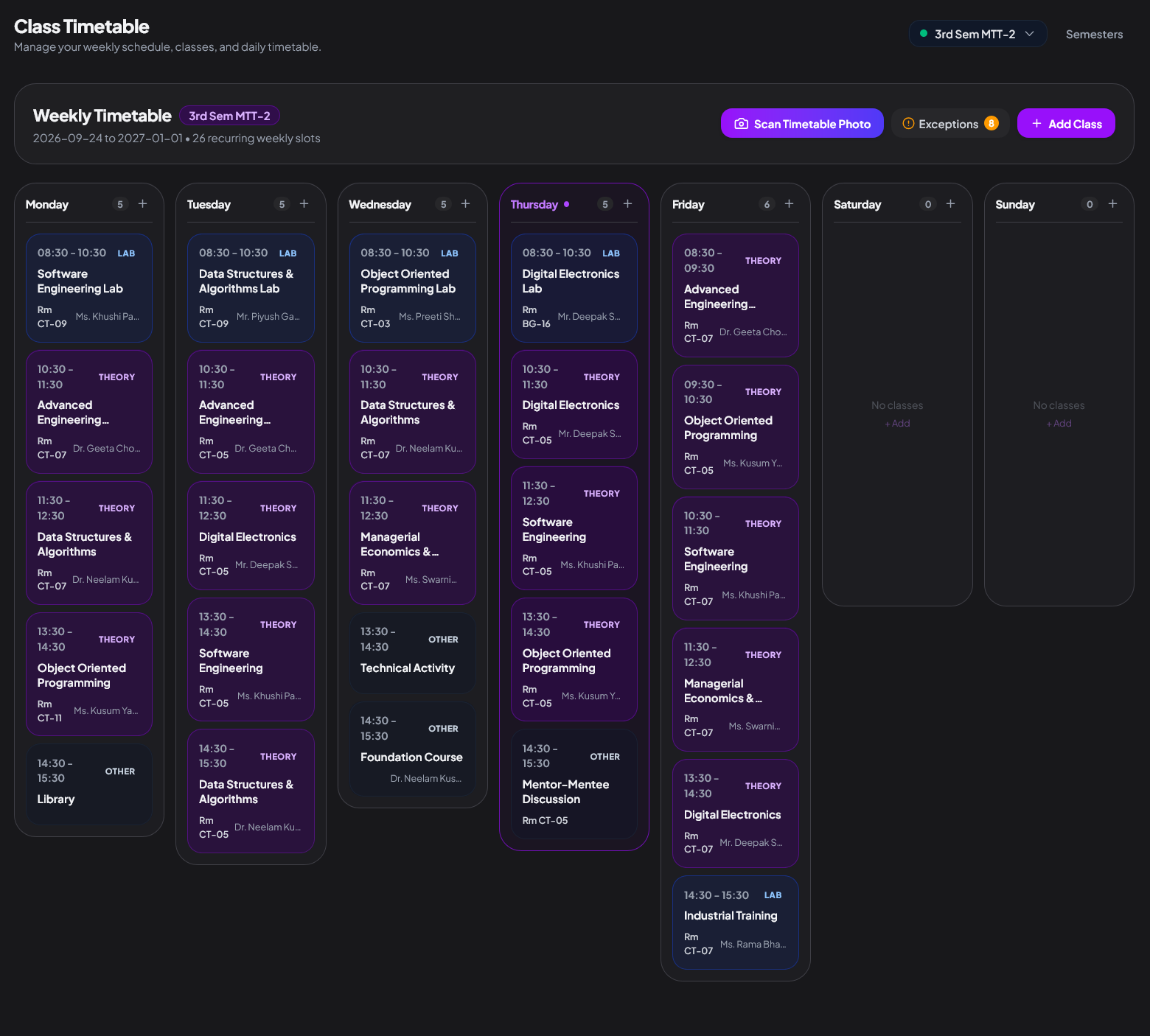
Digitize your schedule from a routine photo in seconds.
Snap a picture of your college routine board. StudySpace parses classes, timings, room numbers, and professors into your daily countdown.
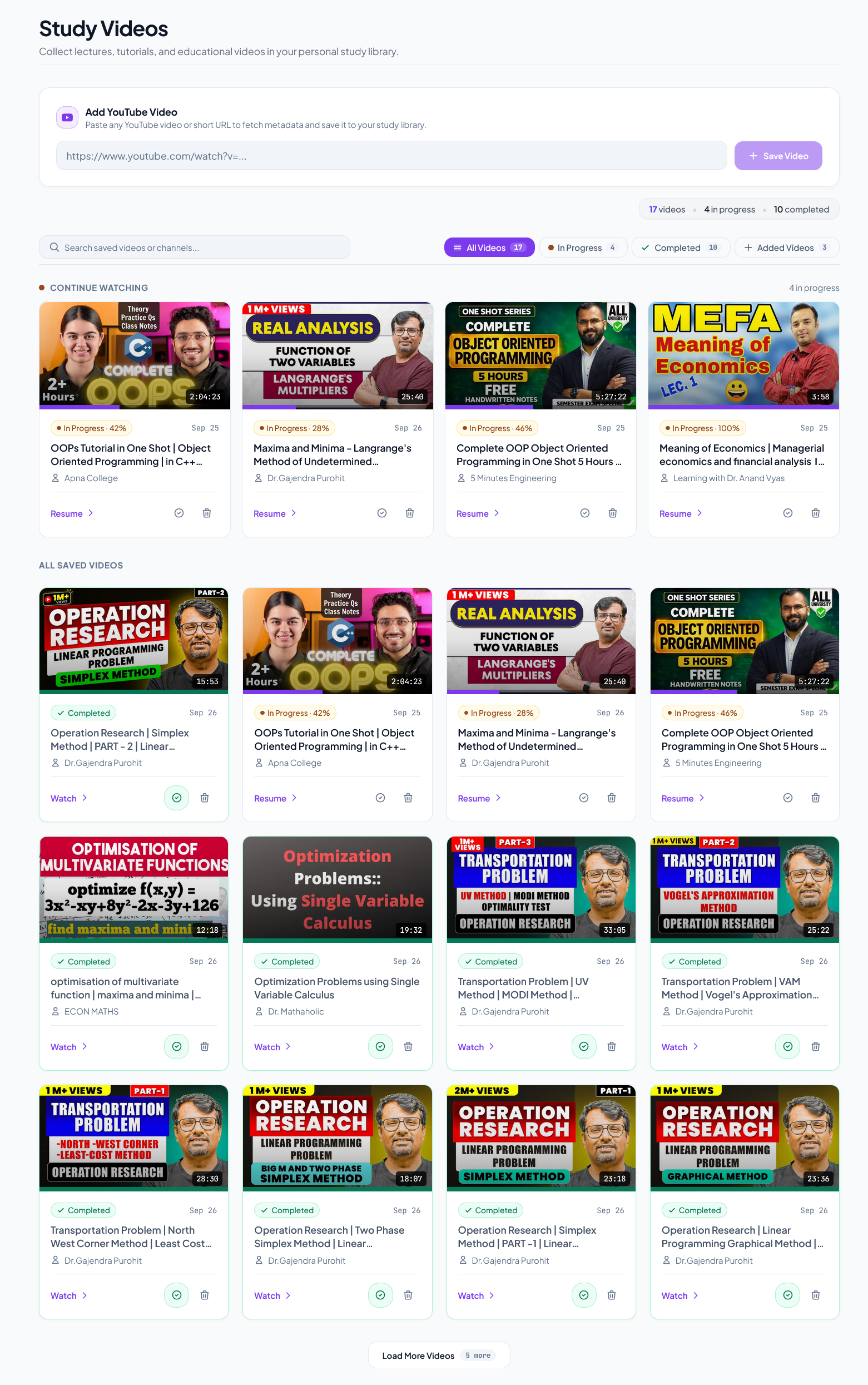
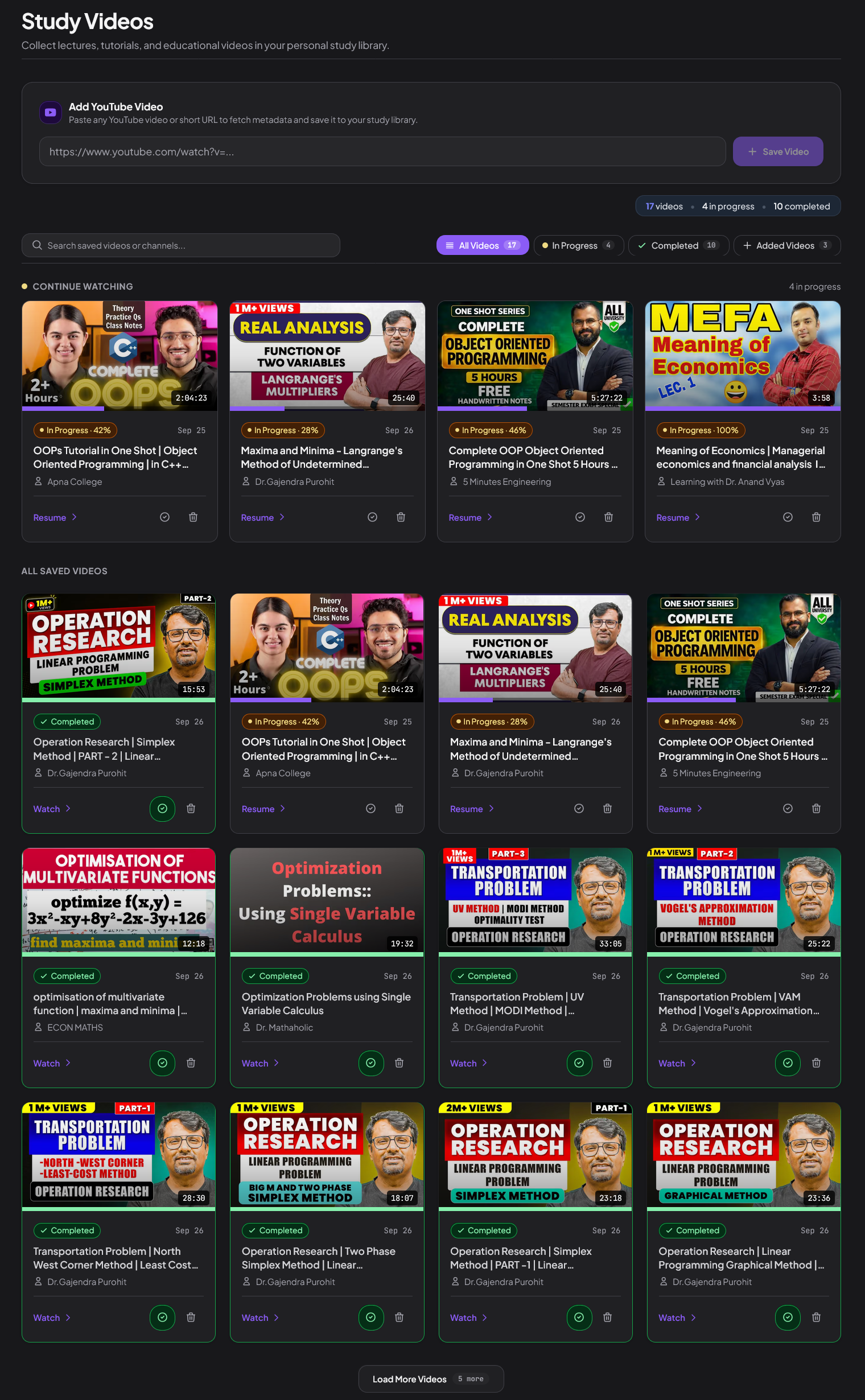
Watch YouTube lectures with video-anchored notes.
Save playlist videos by subject. Add notes at specific seconds, and click any note during revision to jump right back to the explanation.
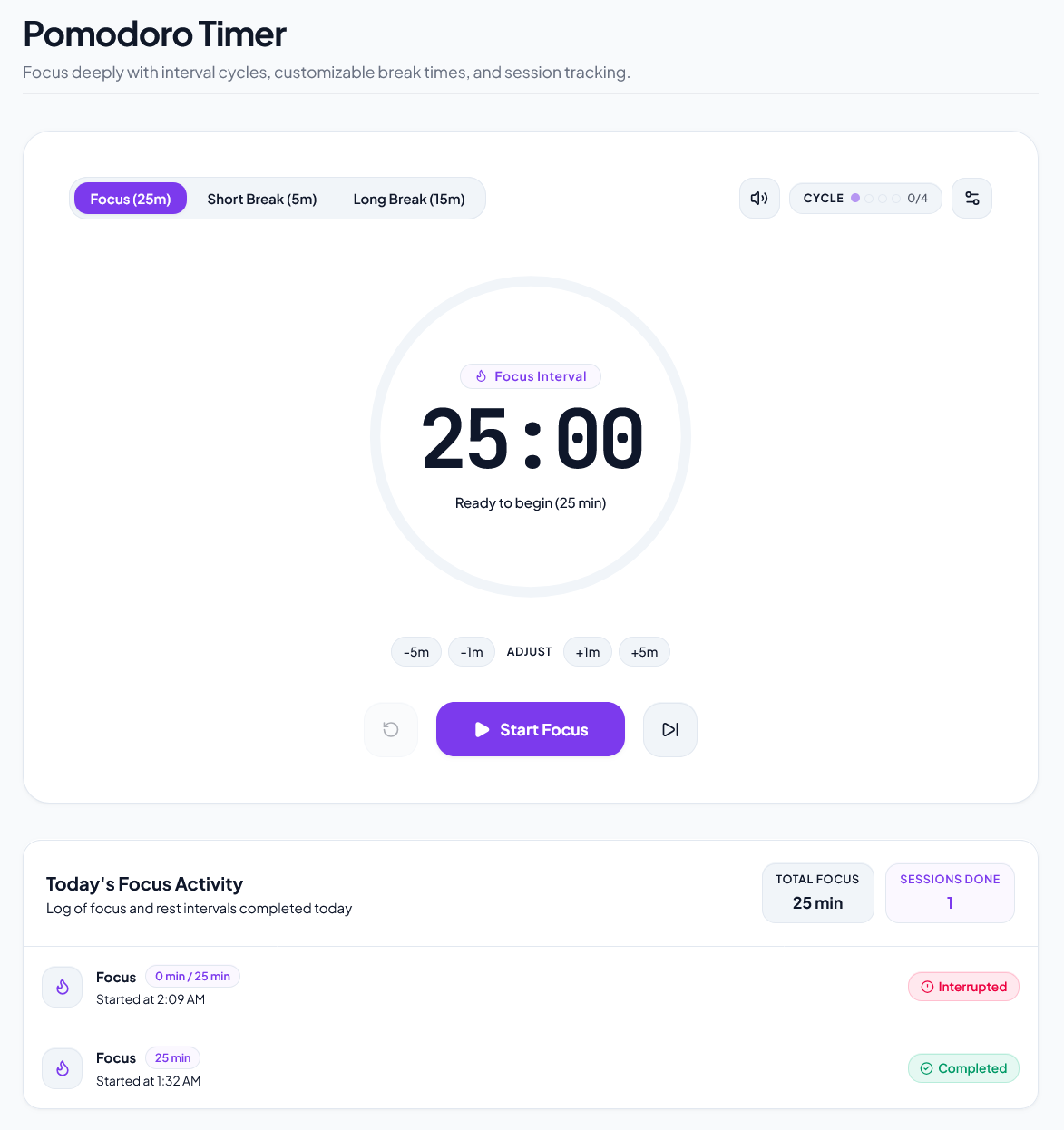
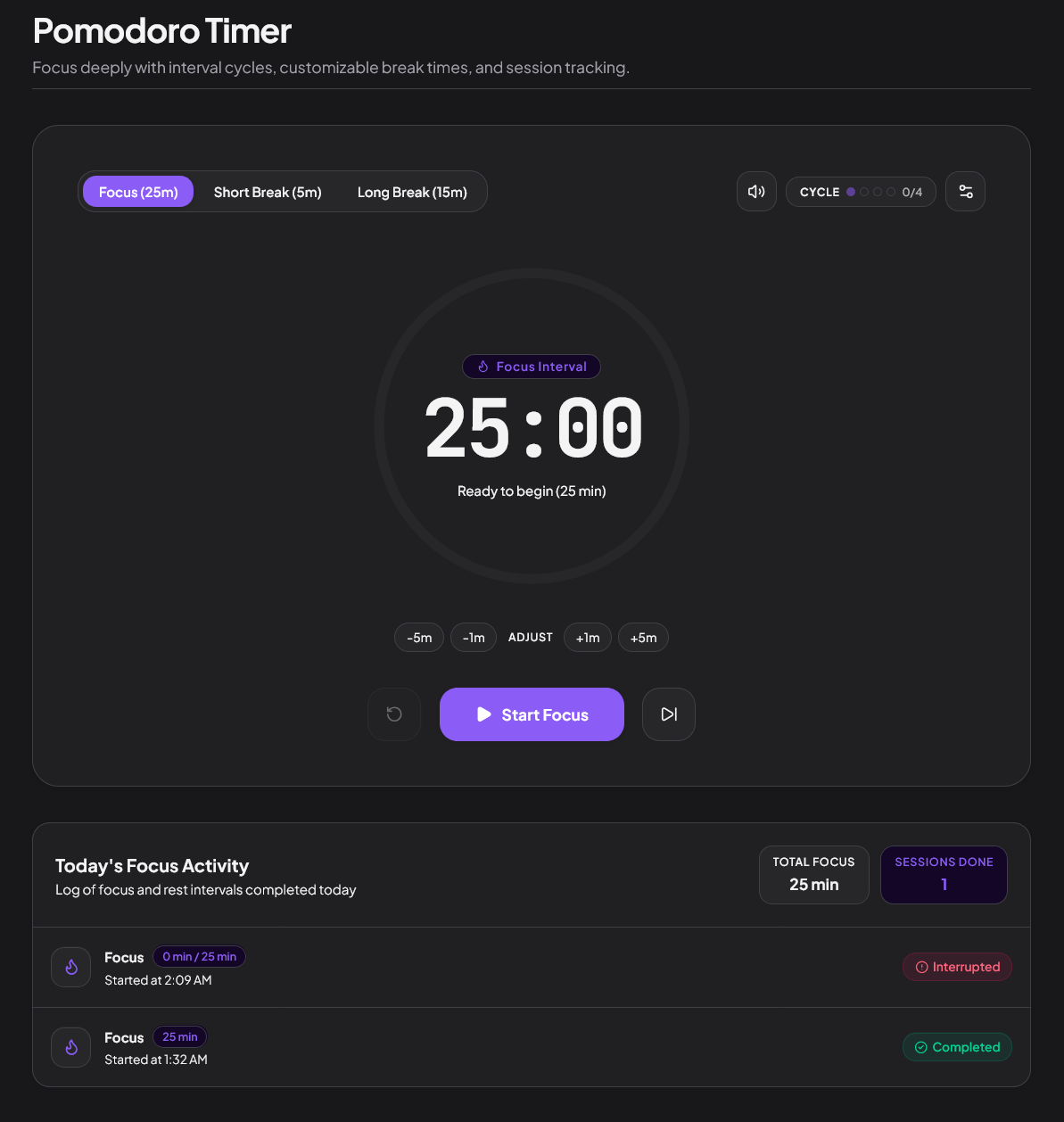
Pomodoro focus sessions that feed your actual progress.
Integrated focus timer with ambient soundscapes. Completed sessions log automatically into your consistency heatmap and subject analytics.
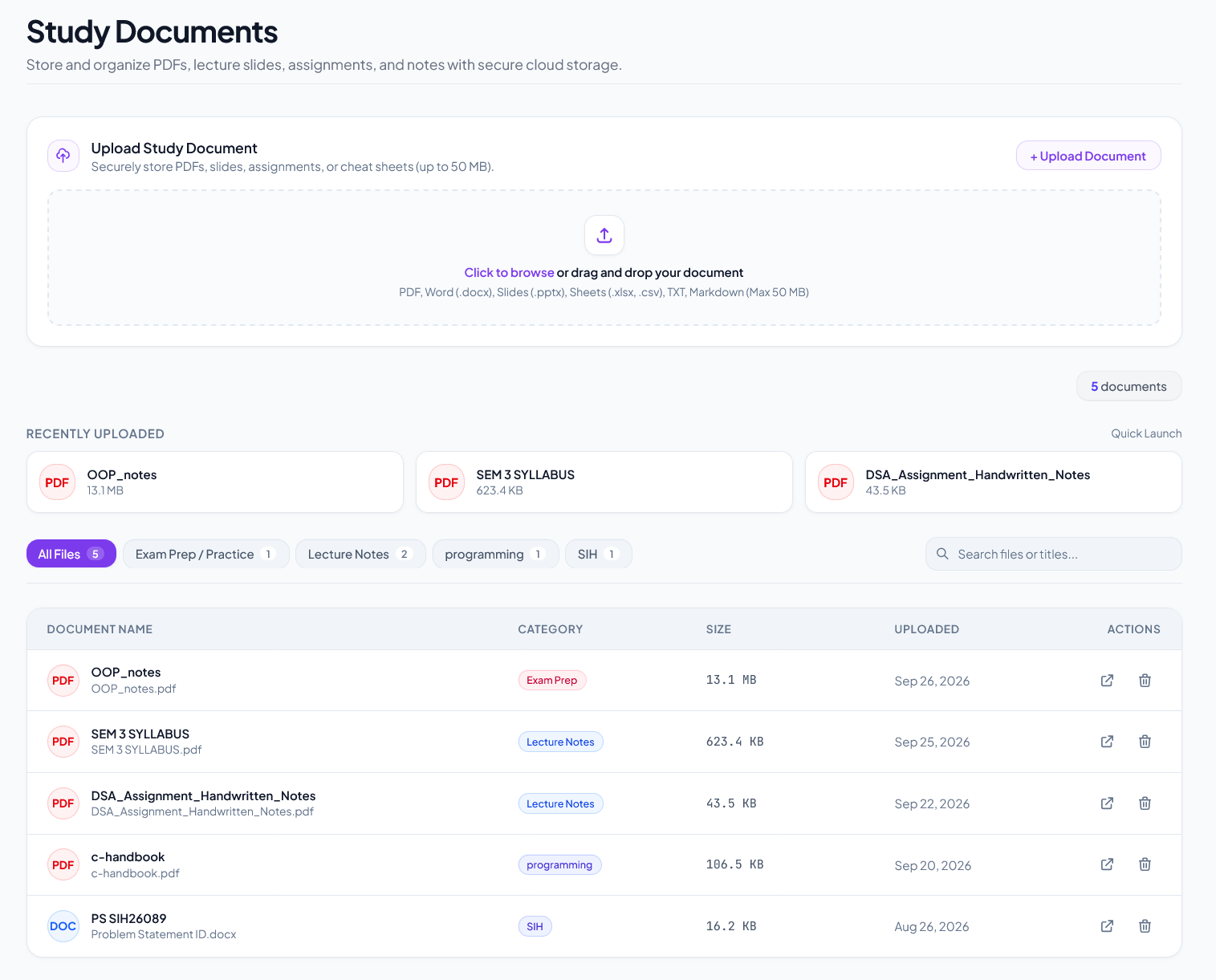
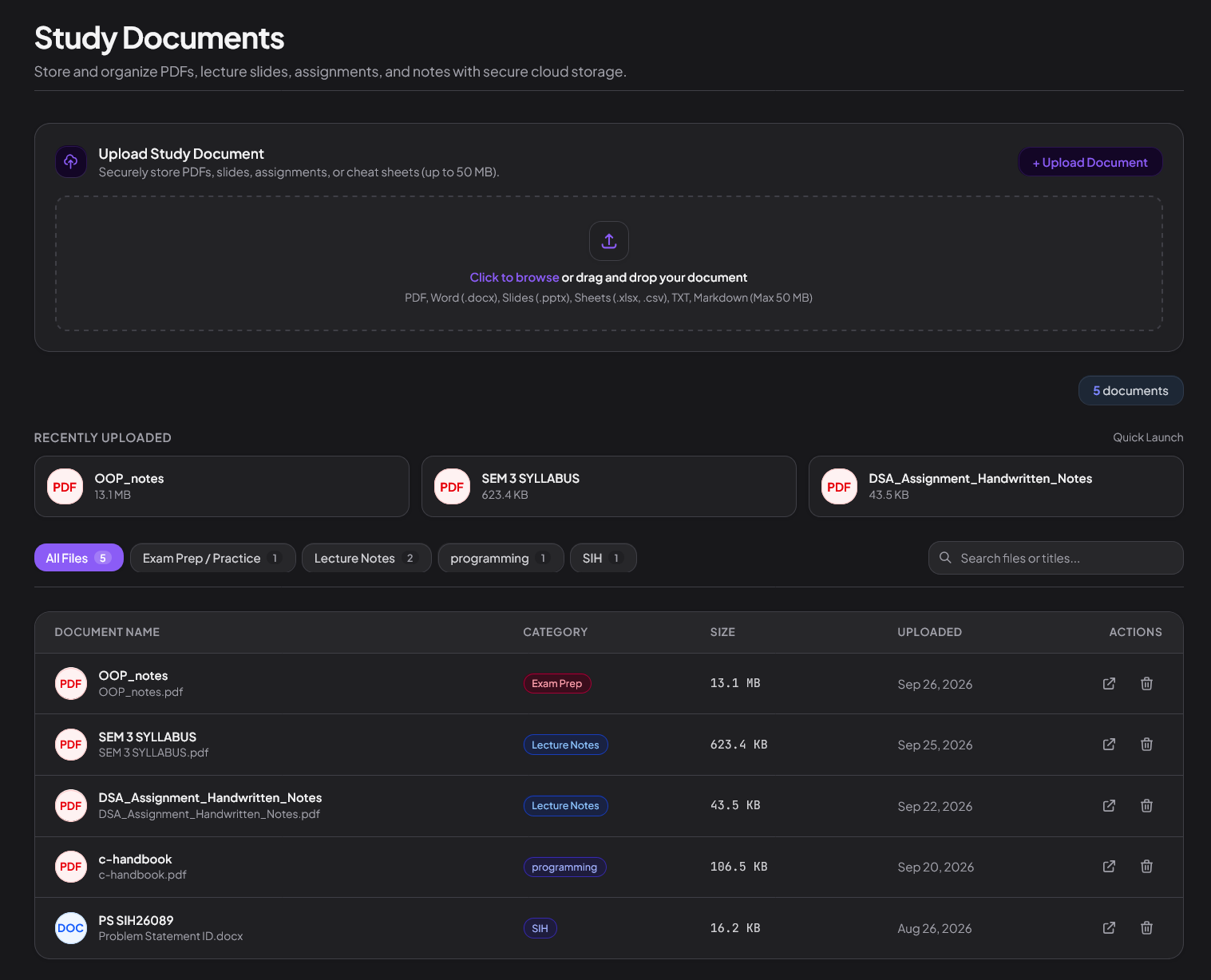
Your course syllabus, slides, and exam papers in one vault.
Stop searching through unorganized chat groups and email threads. Keep all subject materials organized by semester.
StudySpace goes with you.
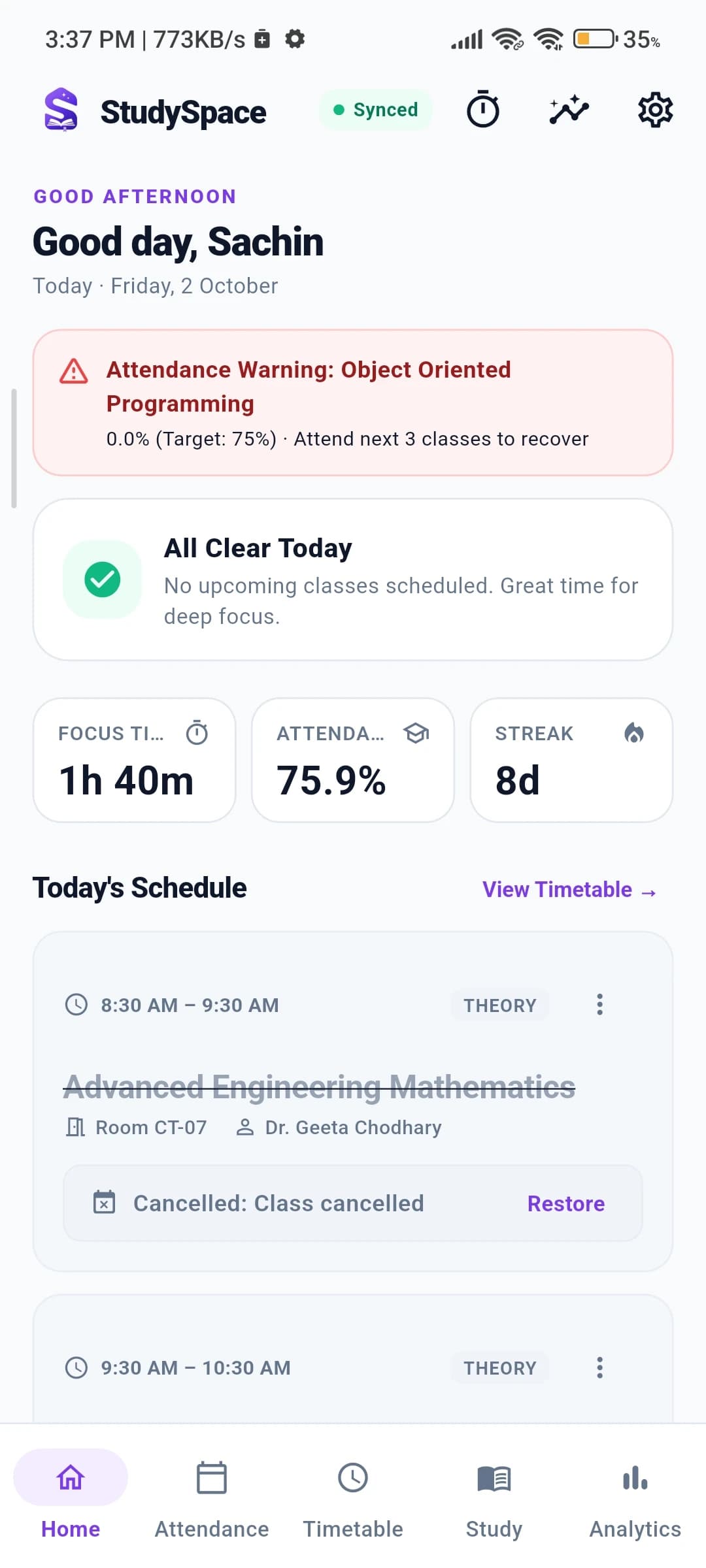
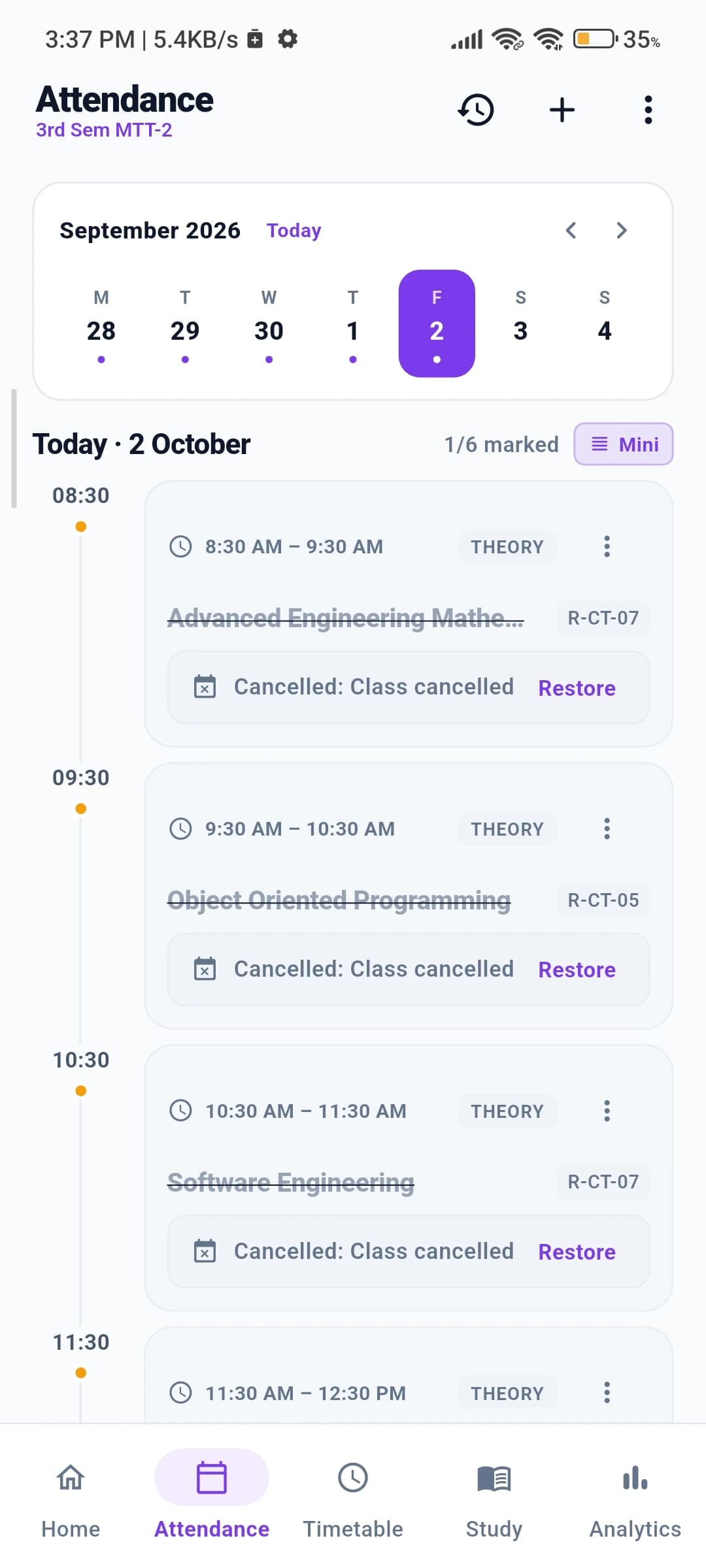
Your timetable, tasks, attendance, notes, and recent study activity stay with you on your phone.
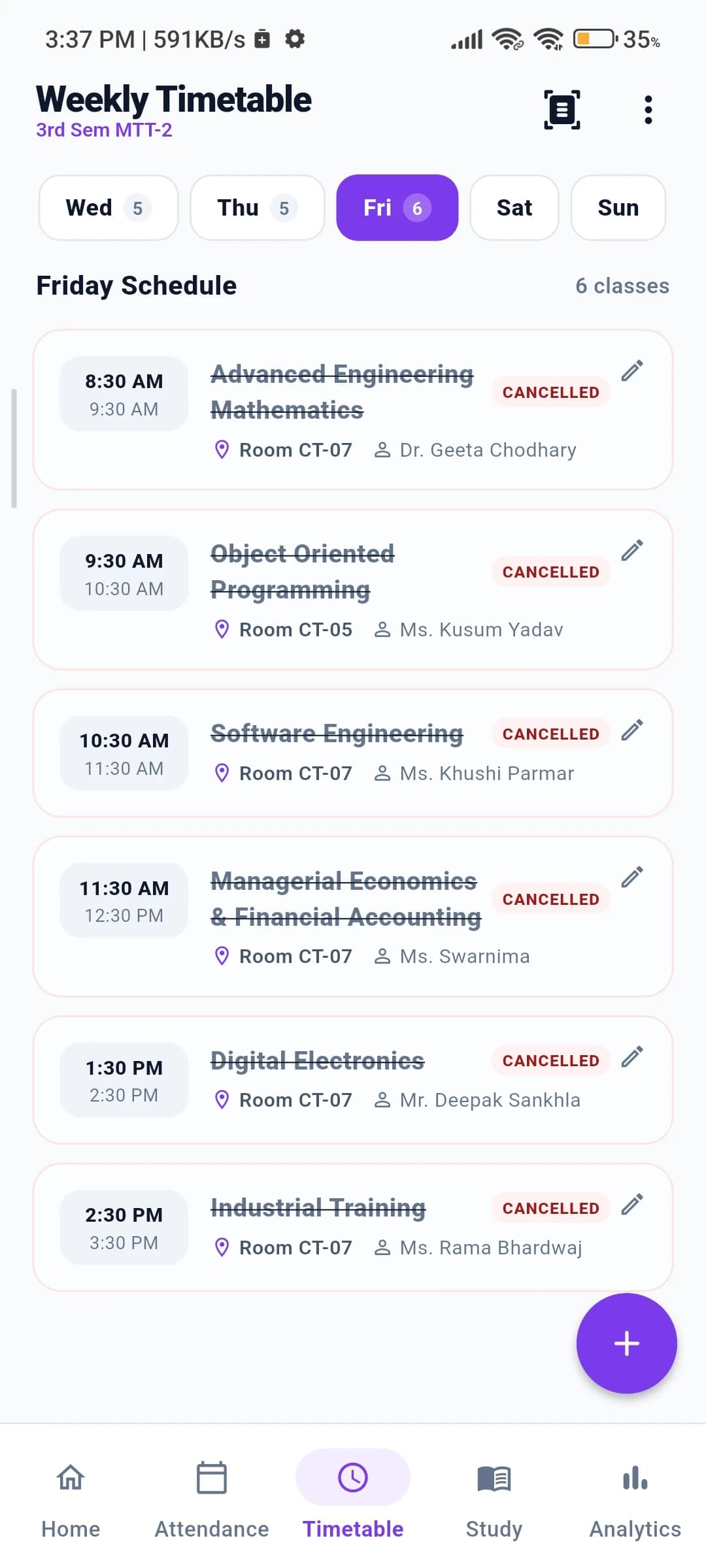
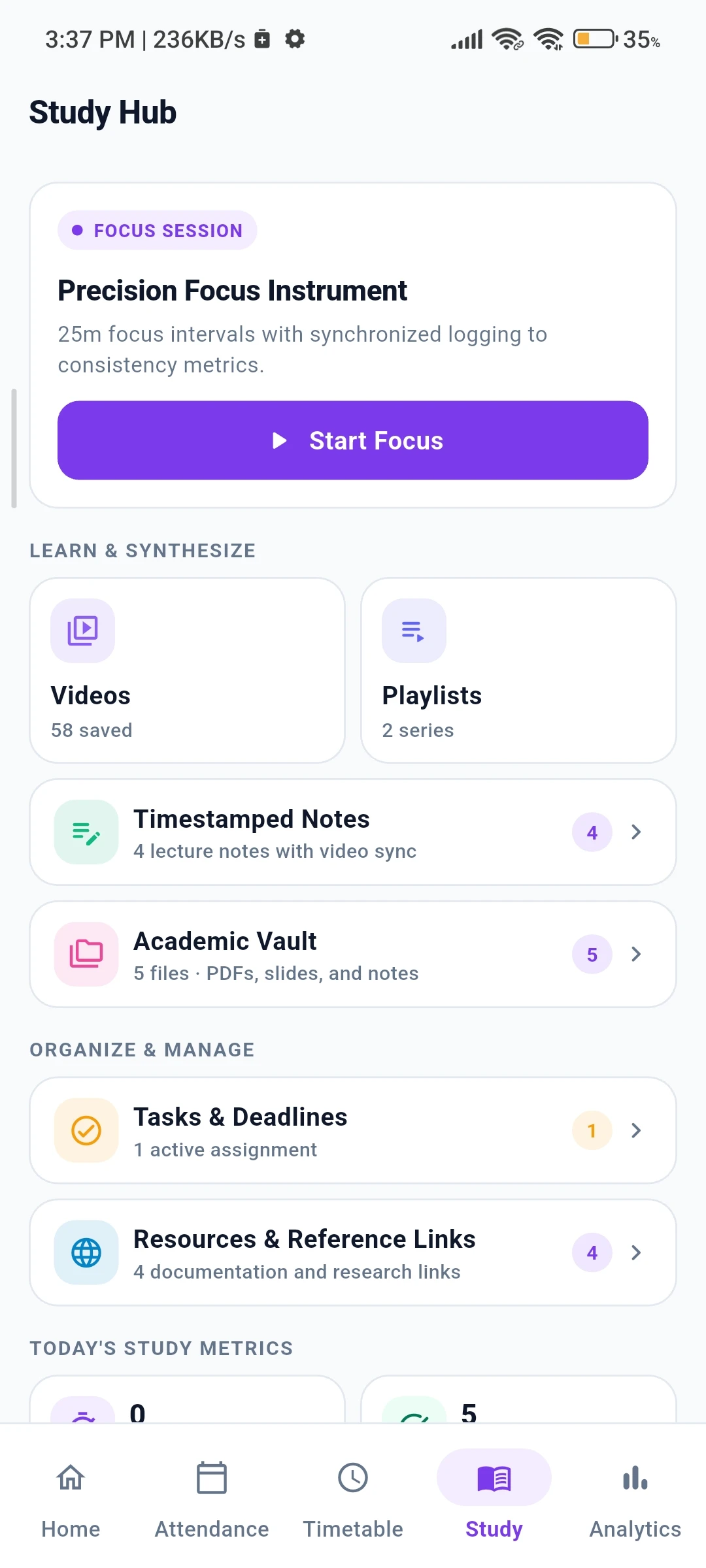
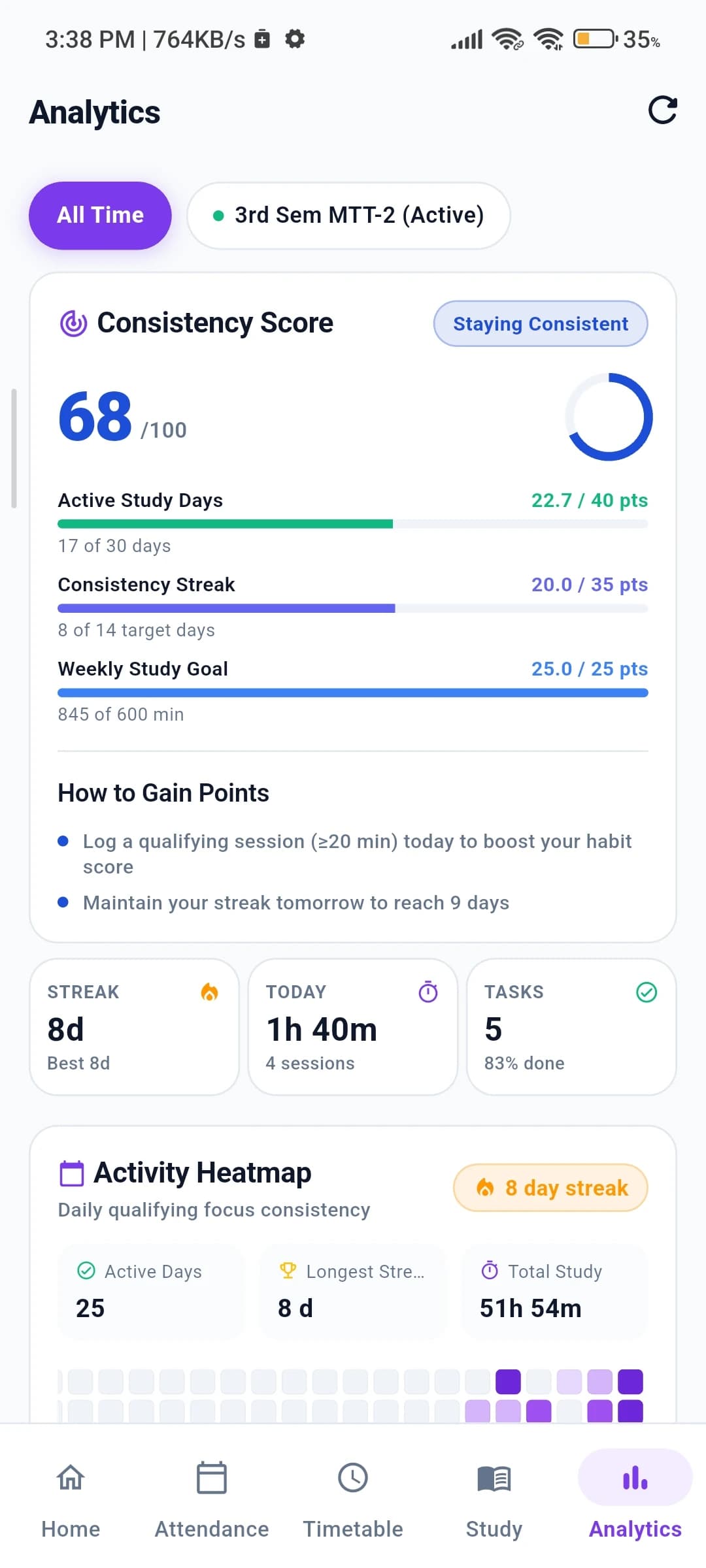
Built for the campus hallway, not just your desk.
You don’t have your laptop open when walking between lecture halls. The study companion app puts your immediate academic needs right in your pocket.
Campus basements and dead zones won’t lock you out. Your timetable and recent data are stored locally on your device.
Mark classes Present or Absent in seconds. The app recalculates your safe bunk margin immediately.
Everything you log on your phone syncs to your web dashboard automatically as soon as you reconnect.
Downloads the verified APK file directly to your phone. Open and install in 1 tap.
Every core tool, crafted for your semester.
Real components running inside StudySpace. Scroll down to explore each tool one by one.
Study activity heatmap across 365 days
Build honest study habits that compound. Every Pomodoro focus interval and lecture note session logs automatically into an activity matrix so you can track consistency across the entire academic year.
Your Study Journey
20267 day streak•142 active days•Longest: 18 days
Attendance safeguard with safe-bunk calculation
Never wonder if you can afford to skip tomorrow’s lecture. The attendance engine monitors your percentage against the mandatory 75% threshold and tells you exactly how many skips remain safe.
Digital Electronics
CS304Computer Networks
CS303Pomodoro focus timer connected to your courses
Structured 25-minute focus intervals designed for textbook reading, assignment coding, and revision. Keeps you in the zone without distraction.
Timestamped notes pinned directly to video seconds
Watch curriculum lectures in one workspace. Pin definitions, code snippets, and derivations to the exact second so clicking any note seeks the video immediately during exam prep.
Timestamped Lecture Notes
Study notes linked to exact seconds in YouTube video lectures.
Data Structures & Algorithms: Lecture 14
CS Algorithms Hub
DFS recursion stack trace: remember base case returns when visited array has node.
Data Structures & Algorithms: Lecture 14
CS Algorithms Hub
Adjacency list vs matrix space complexity: O(V + E) sparse vs O(V²) dense.
Data Structures & Algorithms: Lecture 14
CS Algorithms Hub
BFS queue implementation level-order vs DFS recursion depth-first comparison.
Data Structures & Algorithms: Lecture 14
CS Algorithms Hub
Connected components & cycle detection using colored node states (white/gray/black).
Operating Systems & Concurrency: Lecture 5
System Core Lectures
Process vs Thread memory space: threads share heap and data segment, but have separate stacks.
Database Systems & SQL Optimization
Data Architecture Lab
B-Tree vs B+ Tree indexing: leaf nodes are linked lists in B+ Tree which makes range queries O(log N + k).
Structured class timetable with theory, lab, and room details
Your weekly class routine organized by day, lecture type, room numbers, and faculty. Never get lost looking for classroom changes or lecture timings.
Monday's Schedule
3 class slots scheduled
Digital Electronics
CS304Operating Systems
CS301Database Management Systems
CS302Course-linked checklist and assignment tracker
Stop scattering tasks across chat apps. Organize lab submissions, exam preparation, and reading chapters directly linked to each semester course.
Study Tasks & Goals
Organize assignments, lecture reviews, and daily focus milestones.
Finish DSA Graph & Tree Traversal Assignment
Complete Pomodoro Session #3 on OS Memory
Review Graph Notes (DFS vs BFS Complexity)
Read OS Chapter 2: Threads & Concurrency
Practice LeetCode #15: 3Sum & Two Pointers
Review DBMS Normalization 1NF to BCNF
Light for daylight lectures. Dark for 2 AM study.
Drag the divider or use arrow keys to compare real feature cards in high-contrast light and deep dark mode.
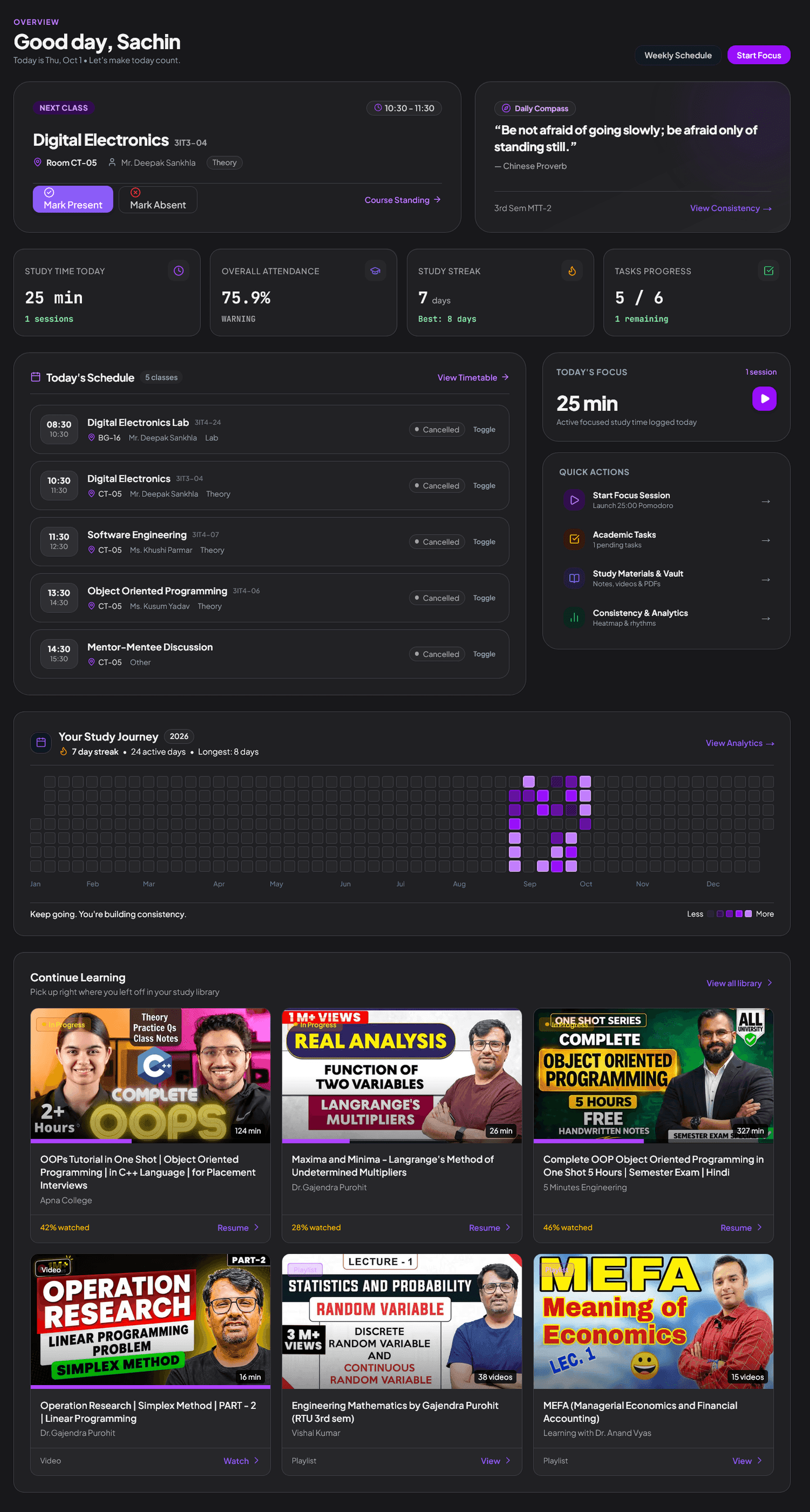
Built for how students actually study.
Hear from college students managing routines, attendance buffers, and semester notes on StudySpace.
“Timetable camera scan feature legit ek minute me pura schedule feed kar diya. Pehle har semester manually routine table banani padti thi.”
“Lecture note timestamps solve the biggest headache during mid-term prep. Instead of scrubbing 2-hour videos, I jump straight to the derivation markers I pinned.”
“No social feeds or random reels trying to steal attention. Just my courses, tasks, and attendance tracker in a calm, quiet workspace.”
“Semester tasks ko subject-wise tag karke break karna was a game changer for mid-terms. Saare pending lab reports ek jagah track hote hain.”
“Timetable me extra class ya cancelled lecture ka exception add karna itna easy hai ki attendance calculation kabhi galat nahi hoti.”
“Late night study sessions ke liye dark mode is super comfortable on eyes, no eye strain during long semester revision marathons.”
“Har subject ka alag 75% ya 85% criteria set kar sakte hain, jo college ke specific criteria aur labs ke liye perfect fit hai.”
“Timetable camera scan feature legit ek minute me pura schedule feed kar diya. Pehle har semester manually routine table banani padti thi.”
“Lecture note timestamps solve the biggest headache during mid-term prep. Instead of scrubbing 2-hour videos, I jump straight to the derivation markers I pinned.”
“No social feeds or random reels trying to steal attention. Just my courses, tasks, and attendance tracker in a calm, quiet workspace.”
“Semester tasks ko subject-wise tag karke break karna was a game changer for mid-terms. Saare pending lab reports ek jagah track hote hain.”
“Timetable me extra class ya cancelled lecture ka exception add karna itna easy hai ki attendance calculation kabhi galat nahi hoti.”
“Late night study sessions ke liye dark mode is super comfortable on eyes, no eye strain during long semester revision marathons.”
“Har subject ka alag 75% ya 85% criteria set kar sakte hain, jo college ke specific criteria aur labs ke liye perfect fit hai.”
“The bunk margin calculation is terrifyingly accurate. 75% attendance is strictly monitored here, so knowing exactly how many safe skips I have saved my internal marks.”
“Campus basement labs me Wi-Fi bilkul nahi aata. Android companion offline timetable aur vault notes bina internet ke open kar deta hai, genuinely useful.”
“Pomodoro timer aur 365-day consistency heatmap ne study habit bana di. Semester exams ke time syllabus tracker bahut kaam aaya.”
“Study vault me lecture PDFs upload karke rakhna saves so much time. WhatsApp groups me kho jane wale notes ab clean categorized rehte hain.”
“Daily study time graph dekh ke guilt trip nahi, genuine clarity milti hai ki kitna actually padha aur kahan time utilize ho raha hai.”
“YouTube playlists ko direct StudySpace me padhne ka maza alag hai, zero recommended videos rabbit hole ya distracting sidebars.”
“Home screen pe next class alert aur room number dikh jata hai, lecture hall dhundne me time waste nahi hota. Simple and dependable.”
“The bunk margin calculation is terrifyingly accurate. 75% attendance is strictly monitored here, so knowing exactly how many safe skips I have saved my internal marks.”
“Campus basement labs me Wi-Fi bilkul nahi aata. Android companion offline timetable aur vault notes bina internet ke open kar deta hai, genuinely useful.”
“Pomodoro timer aur 365-day consistency heatmap ne study habit bana di. Semester exams ke time syllabus tracker bahut kaam aaya.”
“Study vault me lecture PDFs upload karke rakhna saves so much time. WhatsApp groups me kho jane wale notes ab clean categorized rehte hain.”
“Daily study time graph dekh ke guilt trip nahi, genuine clarity milti hai ki kitna actually padha aur kahan time utilize ho raha hai.”
“YouTube playlists ko direct StudySpace me padhne ka maza alag hai, zero recommended videos rabbit hole ya distracting sidebars.”
“Home screen pe next class alert aur room number dikh jata hai, lecture hall dhundne me time waste nahi hota. Simple and dependable.”
Got questions? We have answers.
Everything you need to know about StudySpace, attendance safety, and cross-platform synchronization.
Have questions or ideas? Talk to us.
Whether you found a bug, want to request an academic feature, or need help setting up your semester schedule — we read every message.
No tickets, chatbots, or automated call queues. Messages go directly to our student developer inbox.
✓ All student feedback reviewed personally
✓ Bug fixes prioritized in weekly updates
Make this semester a little easier.
Set up your subjects once and keep everything together in one private, focused study workspace.